28 pens and brushes
Fountain pen, highlighter, neon, rainbow, calligraphy and washi tape.
Typed text, Apple Pencil handwriting, PDFs and audio live together in one notebook. No account. Saved on your device and in your own iCloud.
iPad and iPhone · Free to start · Pro is a one-time purchase
This is a live demo, not a video. Draw with your mouse, finger or Pencil, type on the page, and mark up a PDF.
Smooth ink that follows your hand. Circle your marks with the lasso, then move, resize or recolor them.
30 templates for study, code and plans. Change the paper of any page later, or apply it to the whole notebook.
A small sample of the library
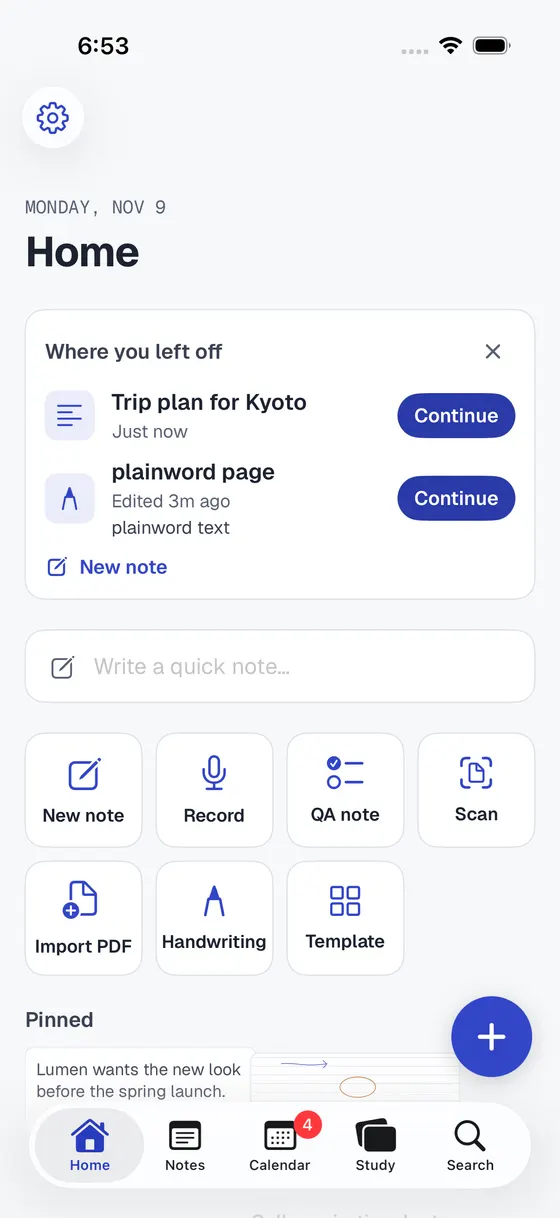
Write, draw, type, import, scan, search and plan, without switching apps.
Fountain pen, highlighter, neon, rainbow, calligraphy and washi tape.
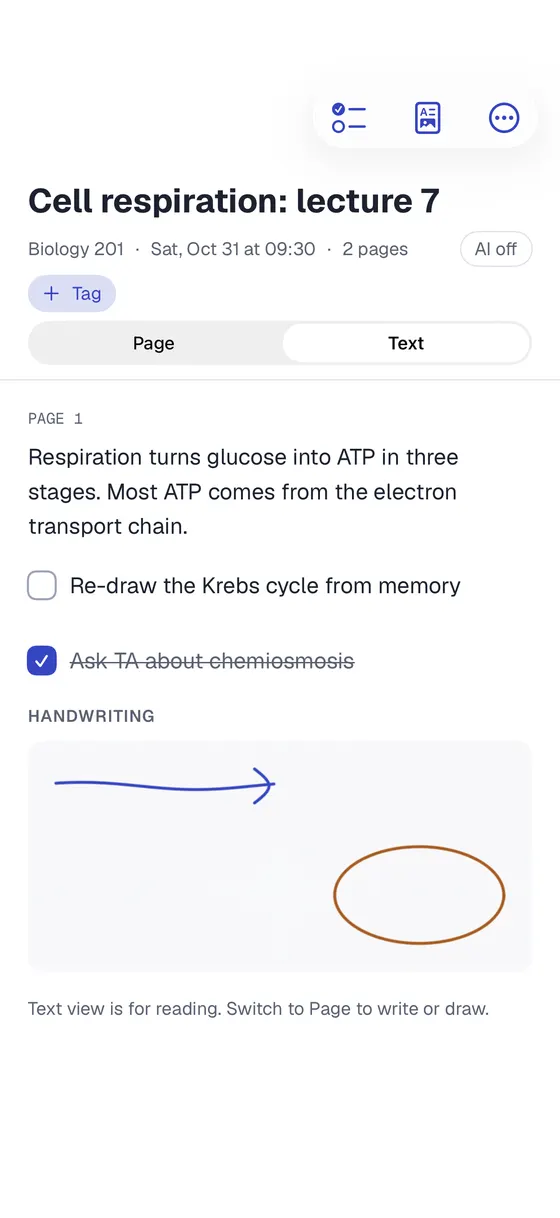
Tap anywhere to type. Text notes with checklists that become tasks, pictures and audio on any line.
Shapes snap clean. Lasso to move, resize or recolor, and pictures you can move, resize and rotate.
Write on every page of a PDF. Scan paper into a searchable PDF. Open Word files as notes you can edit.
Lined, grid, dotted, Cornell, planners, lecture notes and more, for study, code and plans.
Search typed text, handwriting and PDFs, and keep notes private with Face ID.
A calendar that syncs with the Calendar app, tasks with reminders, and Home Screen and Lock Screen widgets.
Record while you write, then tap a line to hear what was said. Transcribe on your device.
Split View, Slide Over and several windows. Drag pages, pictures and files in and out.
Dark mode for late nights and a full-screen focus view when you just want the page.
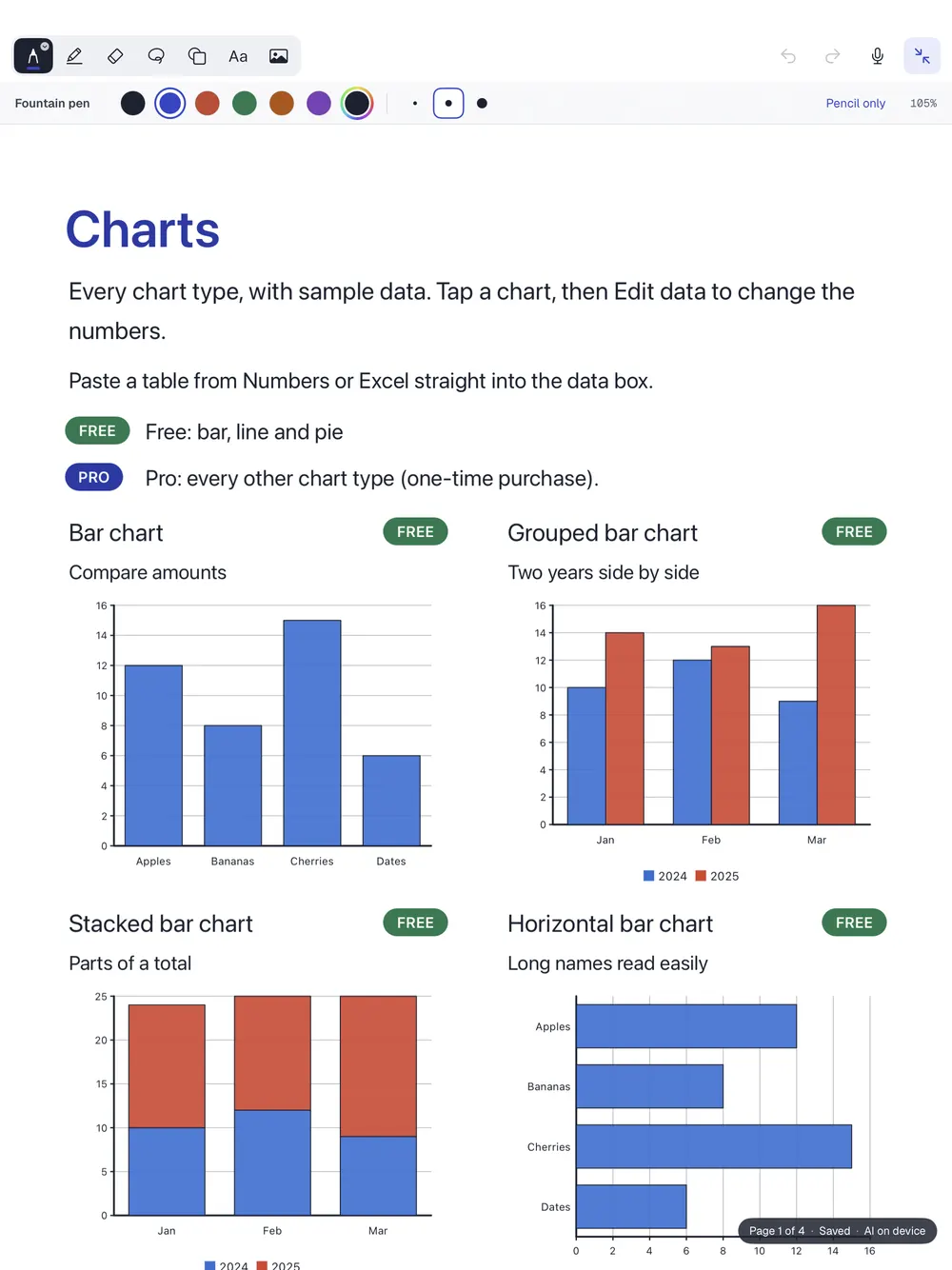
20 chart types you can edit any time, shapes, function graphs, and equations solved step by step.
Export PDF, Markdown, RTF and images, plus a free full backup as a .zip.
Pick up where you left off.
Typed text, checklists and handwriting together.
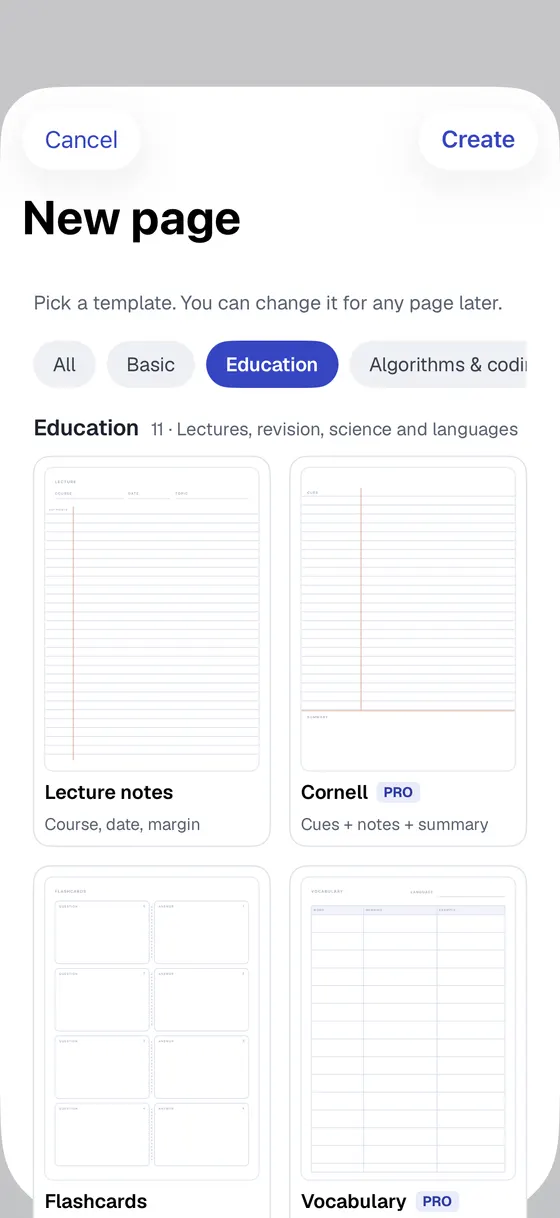
Cornell, flashcards, lab report and more.
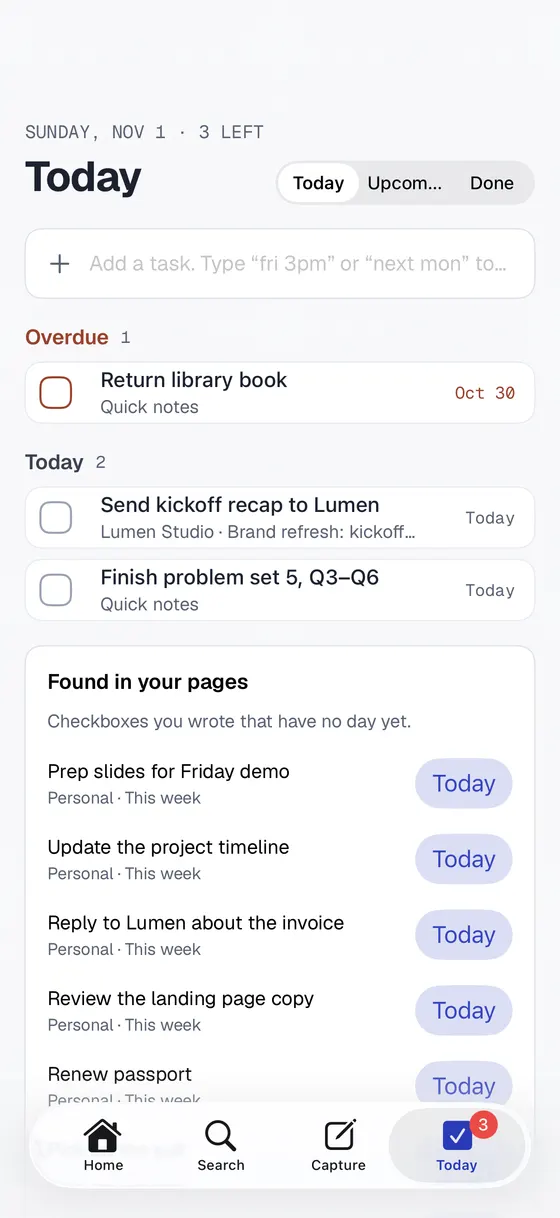
Tasks from your pages, with a day and a time.
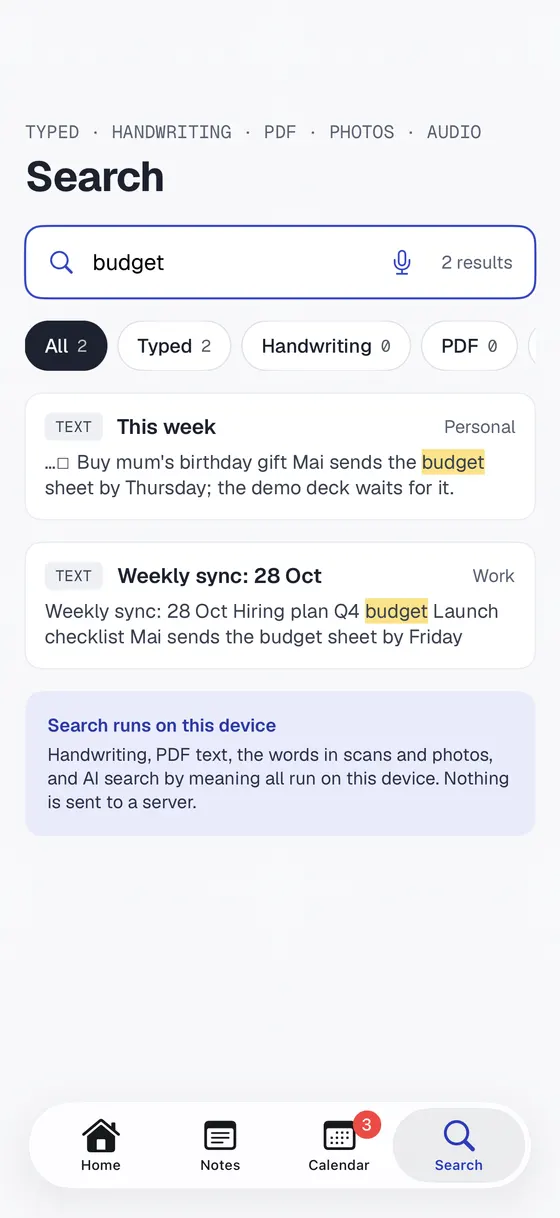
Typed, handwritten or inside a PDF.
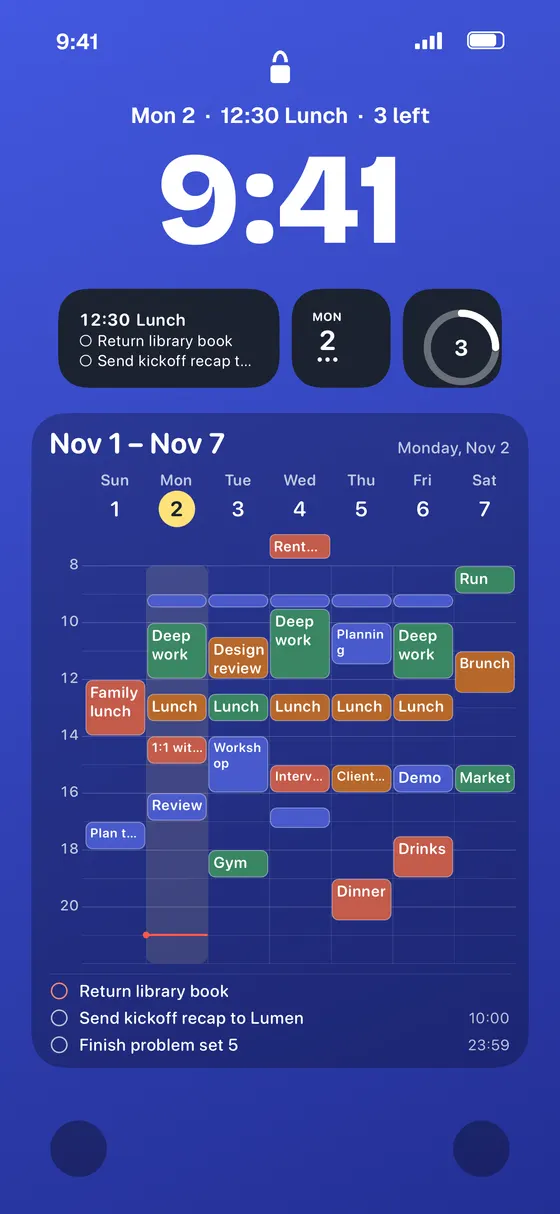
Your week on the Home and Lock Screen.
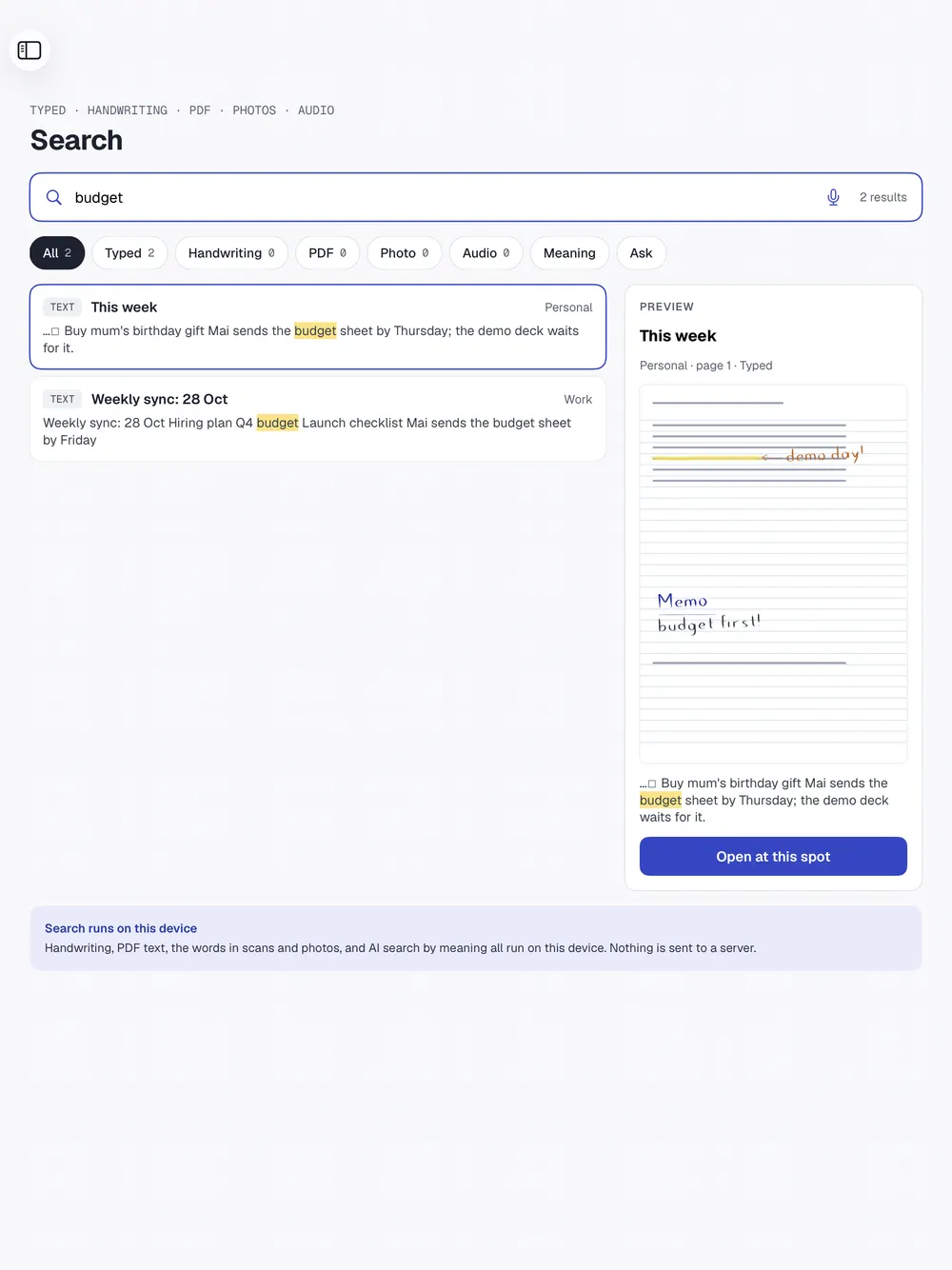
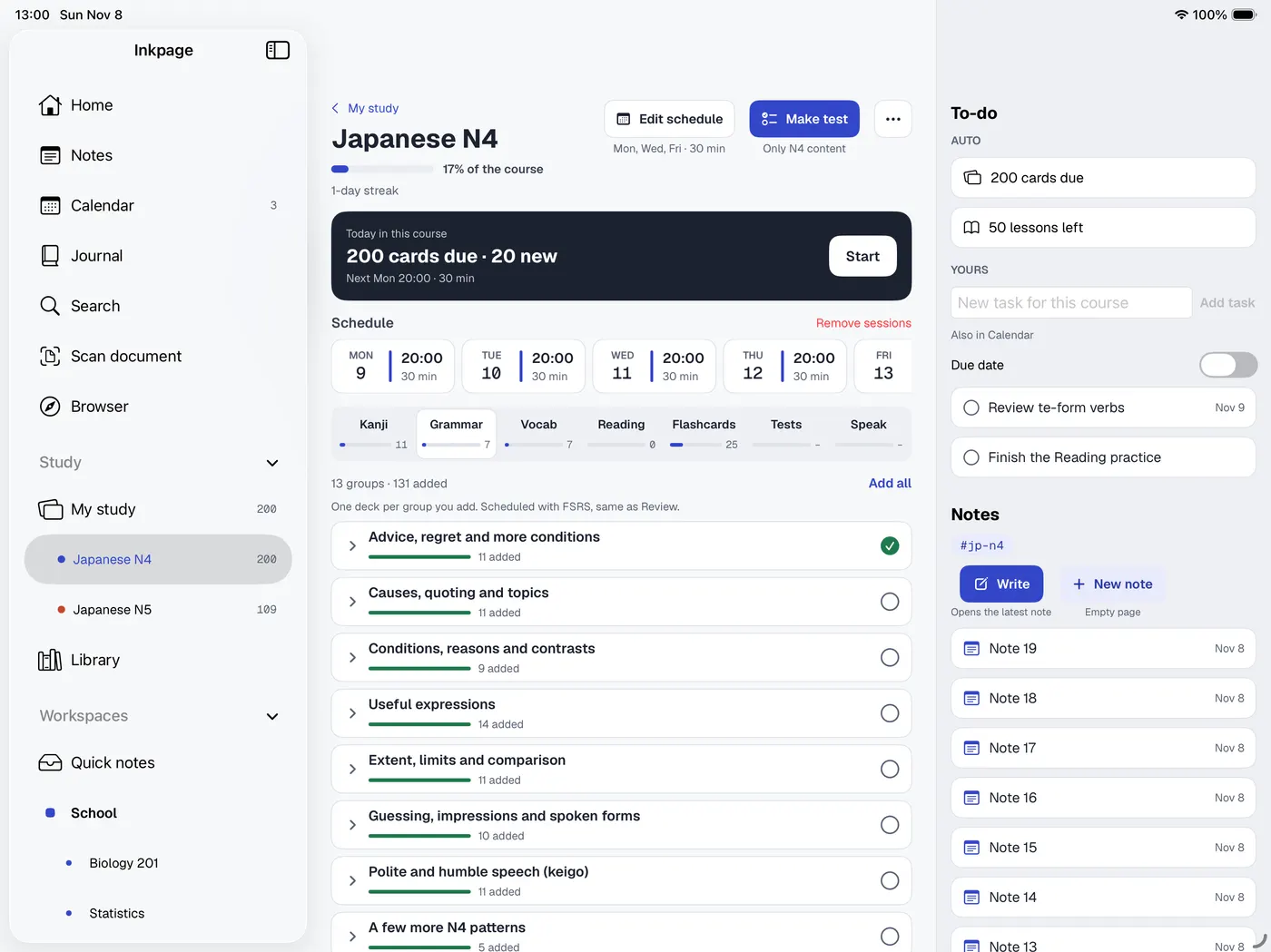
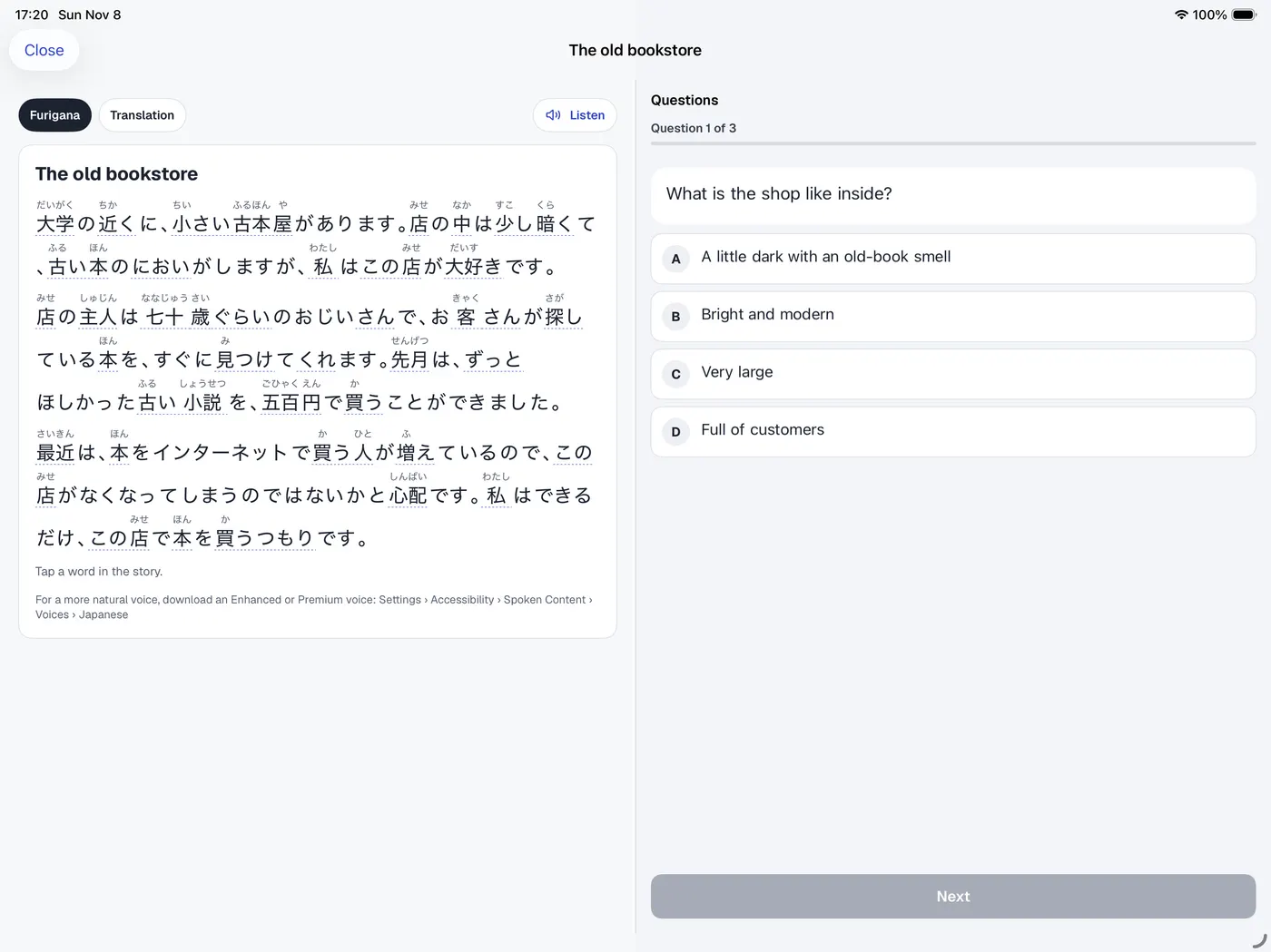
Language courses for JLPT, HSK and TOPIK, plus English and Vietnamese. Study step by step on the Path, and read Japanese with How to translate.
Each course has its own Path with a schedule, so today's cards and lessons are always one tap away.
The app itself speaks 11 languages: English, Spanish, French, German, Italian, Portuguese, Japanese, Korean, Chinese (Simplified and Traditional) and Vietnamese.
、。
Inkpage is a notebook, not a service. There is nothing to sign up for.
Open the app and start writing. No email, no sign-in.
Sync through your own iCloud, or keep notes on one device only.
When you turn it on, it runs on your device. Nothing is sent anywhere, and you choose which workspaces it may read.
Lock pages or whole workspaces with Face ID or a passcode, and hide them from search and widgets.
Optional anonymous usage counts help us improve the app and never include what you write. No tracking, no ads, and one switch in Settings turns them off.
Inkpage is free to start. Pro is a one-time purchase, with no subscription.
The price is shown in the App Store for your country.
No. Inkpage works without any sign-up. Your notes are saved on your device and, if you choose, in your own iCloud.
AI is off by default. When you turn it on it runs on your device on supported devices, nothing is sent anywhere, and you choose which workspaces it may read.
No. Inkpage Pro is a one-time purchase. Pay once and keep it.
No. You can type on any page. With Apple Pencil you can handwrite, draw and mark up PDFs, and a Pencil-only setting stops your palm from moving the page.
Yes. Inkpage is made for iPad and iPhone, with Split View, Slide Over and several windows on iPad.
Import PDFs and scans, Word files (as editable notes), Excel and PowerPoint files, CSV tables and Markdown. Export PDF, Markdown, RTF and images, and with Pro, Word, Excel and PowerPoint. A full .zip backup is always free.
English, Spanish, French, German, Italian, Portuguese, Japanese, Korean, Chinese (Simplified and Traditional) and Vietnamese.
Inkpage is the new iNotebook, rebuilt from scratch. If you have notes from the old app on the same device, Inkpage offers to import them on first launch.
Download Inkpage for iPad and iPhone and start writing.